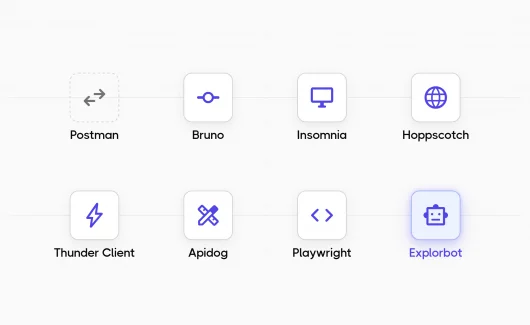
Your team tests APIs every day, and Postman has been the default client for years. You build collections and share results with teammates. But the platform has changed. Team features now require a paid plan, and Postman stores your collections in its cloud. In the article below, you will find a Postman alternative for every workflow, from open source clients to an autonomous AI agent. You will also see how Testomat.io keeps API test results visible to the whole team after the switch.
Why Teams Choose A Postman Alternative
Postman expanded from a simple HTTP client into a large API platform. That growth changed the pricing and the storage model, and both changes make teams search for a replacement. The reasons repeat from team to team, whatever the stack:
- Pricing. The Postman pricing page shows a free plan with a single user. The Team plan costs $19 per user each month, and the Enterprise plan costs $49, billed annually. For a team of ten engineers, collaboration starts at $2,280 per year.
- Free plan limits. The free plan caps integrations at five and includes 50 AI credits each month. An active team reaches those limits quickly.
- Cloud storage. When you work in Postman workspaces, your collections sync to Postman’s cloud. Teams in banking and healthcare often need API data to stay inside their own infrastructure, and a cloud-first storage model conflicts with that requirement.
- Tool size. Engineers who want a lightweight client for quick requests get a full API platform instead. If your main task is API testing and debugging, a smaller tool can serve you better.
What Is The Best Open Source Postman Alternative?
Bruno is the strongest open-source Postman alternative for most teams. It stores collections as plain text files in Git and works fully offline under an MIT license. The open source label needs a quick definition here. Open-source software publishes its full code under a license, such as MIT or Apache 2.0, that lets you inspect the code and host the tool yourself. Proprietary tools keep the code closed, so you depend on the vendor’s pricing and cloud. Bruno leads on GitHub popularity among desktop clients with 46.7k stars, and its maintainers state a clear policy: the client stays offline forever. If you prefer a web-based tool that your team can self-host, Hoppscotch is the strongest pick. It uses an MIT license as well and has 80.2k stars on GitHub.
The 7 Best Postman Alternatives Compared
Now let’s look at each tool in detail. Most are GUI clients, and the rest follow a different approach, from an in-editor extension to an autonomous AI agent. Requestly and HTTPie also deserve a mention if you need request mocking in the browser or a clean CLI, but the list below covers the widest range of team needs. For each tool, you will see the license and the storage model, because those two factors decide the migration path for most teams.
1. Bruno: Git-Native And Fully Offline
Bruno is a desktop API client that stores collections directly in your file system. Every collection is a folder of plain text files written in Bru, its markup format. You commit those files to a Git repo, and your team collaborates through pull requests instead of a vendor cloud. You can see the format and the roadmap in the Bruno repository on GitHub. You can review every change to a collection the same way you review code. For teams that already work in Git, this workflow feels familiar from the first day.
Good Fit For: Git-centric teams that want offline collections under version control.
Pros:
- Free and open source under an MIT license.
- Collections stored as plain text files, reviewable in pull requests.
- Fully offline by design, and the maintainers promise it stays that way.
- 46.7k GitHub stars, the most popular open-source desktop client in this list.
Cons:
- Extra team features require the paid edition.
- Protocol coverage stays focused on REST and GraphQL.
- The Bru format works only with Bruno tooling.
2. Insomnia: Familiar Desktop Experience
Insomnia, maintained by Kong under an Apache 2.0 license, is the closest experience to classic Postman. The desktop app covers REST and GraphQL. It also handles gRPC and WebSocket requests. Storage is flexible, which matters after Postman’s move to cloud storage. Scratch Pad keeps everything 100% local, and an account is optional for it. Git Sync stores collections in your own repository. Cloud sync exists too, and you can enable end-to-end encryption for it.
Good Fit For: teams that want the classic Postman experience with local storage options.
Pros:
- Scratch Pad keeps collections 100% local.
- Git Sync stores collections in your own repository.
- Covers gRPC and WebSocket in addition to REST and GraphQL.
- 40k GitHub stars, the best-known Postman alternative.
Cons:
- An account is required for most product capabilities.
- Team collaboration features require paid plans.
3. Hoppscotch: Web-Based And Self-Hosted
Hoppscotch runs in your browser with zero installation, and that makes it the fastest way to send a first request. It covers more protocols than most desktop clients: REST and GraphQL, plus WebSocket and MQTT. The self-hosted option is the real differentiator. You can deploy Hoppscotch inside your own infrastructure, which solves the compliance problem for regulated teams. You can find the deployment guides in the Hoppscotch repository.
Good Fit For: regulated teams that need a self-hosted, browser-based client.
Pros:
- Runs in the browser with zero installation.
- Full self-hosting inside your own infrastructure.
- Widest protocol coverage in this list, including WebSocket and MQTT.
- 80.2k GitHub stars, the highest count among these tools.
Cons:
- SSO requires the enterprise edition.
- Offline work needs the desktop app or the PWA instead of the browser tab.
4. Thunder Client: API Testing Inside VS Code
Thunder Client is a lightweight API client that runs as a VS Code extension, with a JetBrains plugin available as well. You test an endpoint in the same window where you write the code that calls it, so there is zero context switching. The extension reports over 6 million installs. Data stays in local storage for privacy, and Git sync saves collections to your repository for team collaboration. Scriptless testing lets you assert on responses through a GUI, which helps teammates who prefer clicks over code.
Good Fit For: developers who test endpoints while they write code in VS Code.
Pros:
- Runs inside VS Code, with a JetBrains plugin available.
- Local storage for privacy, plus Git sync for collections.
- Scriptless testing through a GUI.
- Over 6 million installs.
Cons:
- The code is proprietary, so teams with an open-source requirement need a different tool.
- Team features require a paid plan.
- Works only inside an editor, so teammates outside VS Code need a different tool.
5. Apidog: Design, Docs, And Mocking In One App
Apidog is a proprietary all-in-one platform: you design an API and generate documentation from the spec. You can also run a mock server and test endpoints in the same app. It imports your existing Postman collections, and a free plan lets you evaluate the full workflow before you pay.
Good Fit For: teams that own the whole API lifecycle, from design to testing.
Pros:
- API design and documentation, plus a mock server and endpoint testing, in a single app.
- Imports existing Postman collections.
- Free plan for evaluating the full workflow.
Cons:
- Proprietary code, and the app runs only in the vendor cloud.
- Heavier than a lean client if you need requests alone.
6. Playwright APIRequest: E2E And API Testing In The Same Codebase
Playwright is best known as an E2E framework, and it includes API testing through its request fixture. APIRequestContext sends REST requests directly from Node.js, with zero browser overhead. Your API checks and your UI tests live in the same codebase and run in the same CI job. They also share authentication state between API and browser contexts. The hybrid pattern is the real strength. A test creates data through the API, then verifies the result in the browser. The Playwright API testing docs describe both directions. Our Playwright API testing guide covers the setup with examples, and the Testomat.io reporter sends Playwright results to your test management project.
Good Fit For: teams that already run Playwright for E2E and want API checks in the same suite.
Pros:
- Free and open source under an Apache 2.0 license, with 95.6k GitHub stars.
- API tests and E2E tests in the same codebase and the same CI run.
- Shared authentication state between API and browser contexts.
- Testomat.io reporter support for results and reporting.
Cons:
- Exploration by hand needs a separate GUI client.
- Works inside the Playwright test runner, so a Node.js toolchain becomes a dependency.
7. Explorbot: An AI Agent That Tests Your Endpoints For You
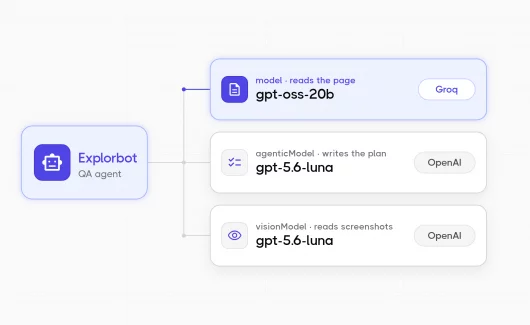
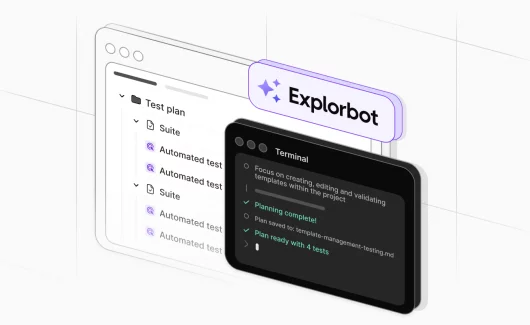
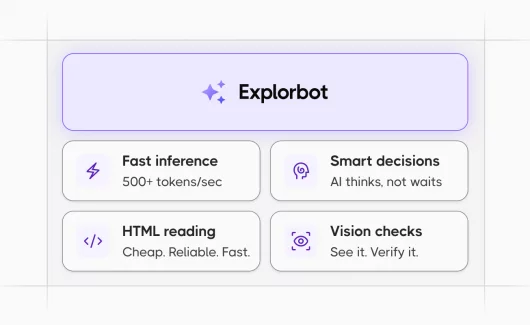
Explorbot is the unique entry in this list: an autonomous AI agent from the Testomat.io team that tests your API endpoints itself, instead of you sending every request by hand. You give it a base endpoint URL and an OpenAPI specification. Two agents split the work: Chief reads the spec and plans test scenarios, and Curler executes them as real HTTP requests with assertions.
The plans are markdown documents, so you can read and edit every scenario before it runs. Setup takes one command: npx explorbot api init. Results report into Testomat.io, and the Explorbot API testing docs cover the configuration, including authentication through bootstrap hooks.
Good Fit For: teams that want AI to plan and execute endpoint tests, while humans review the scenarios.
Pros:
- Plans and executes API tests autonomously from an OpenAPI specification.
- Test plans are editable Markdown documents, so you keep control.
- Handles authentication with static tokens or bootstrap hooks.
- Reports results into Testomat.io test management.
Cons:
- Works best with an OpenAPI specification as input.
- A young tool, so the community is smaller than Bruno’s or Playwright’s.
Postman Alternatives Comparison
| Tool | License | Self-Host | Offline | GraphQL / WebSocket | Mocking |
|---|---|---|---|---|---|
| Bruno | MIT | Files in your Git repo | Yes, by design | GraphQL only | Limited |
| Insomnia | Apache 2.0 | Local Scratch Pad, Git Sync | Yes | Both | Limited |
| Hoppscotch | MIT | Yes, full self-hosting | Desktop and PWA | Both | Limited |
| Thunder Client | Proprietary | Local storage, Git sync | Yes | GraphQL | Limited |
| Apidog | Proprietary | Cloud-based | Partial | GraphQL | Yes, built-in mock server |
| Playwright | Apache 2.0 | Yes, it’s your code | Yes | HTTP-focused | Yes, network interception |
| Explorbot | Elastic 2.0 | Yes | No | No | No |
The table helps you choose a client. Reporting is a separate decision, and Testomat.io covers that layer, whichever client you pick. The section on results visibility below explains how it works.
How Do You Choose Between GUI And Code-First Tools?
You need a GUI client when the team explores APIs by hand. You need a code-first framework when API checks run in CI on every commit. Most teams need both stages. For example, your team builds a payment API: an engineer explores the sandbox endpoints in Bruno and records the edge cases. The same checks then become Playwright API tests in the repository, and CI runs them on every commit. The GUI client remains useful for debugging new endpoints after that. The full decision depends on your pipeline, and our guide to API testing strategy for CI/CD covers it step by step.
How Does Testomat.io Keep API Test Results Visible After The Switch?
Testomat.io collects Newman and framework test reports in a shared place, so the whole team sees what passed and what failed. You send results from your client or framework, and the reports update automatically. The client choice leaves a gap: reporting. Automated API test results stay inside CI logs, where a QA lead must search for them. Manual exploratory checks stay invisible. Your manager repeats the same question before every release: what did we test? Testomat.io answers that question at the test management layer. An API testing team gets:
- Postman and Newman reports. You can keep your Postman collections and get rich reports from Postman and Newman runs.
- Framework reporters. If you move to Playwright or another framework, reporters for modern test frameworks send results from your CI pipeline.
- REST API for results. The API accepts results from custom tooling and scripts.
- MCP server. With MCP server, AI coding agents can query your test data through the same open interface.
- Mixed manual and automated runs. Mixed runs combine exploratory endpoint checks and automated suites in a single run report, and extra CI configuration is optional.
- Flaky test analytics. Flaky test analytics show which API checks fail intermittently, so you fix the unstable tests instead of ignoring failed builds.
The result? Whichever client you choose, the results stay in one place. Engineers and managers see the same full picture.
How To Connect Testomat.io Reporting When You Migrate From Postman
You can connect reporting before the client migration finishes, and the setup in Testomat.io takes a few minutes:
- Create a project. You need a project as the home for your API test results. Open app.testomat.io and create it.
 Create a project
 - Enable test run reporting. Open Runs and select set up automated tests for reporting. You can choose Newman as your framework, and the panel generates the setup instructions: the install command
npm i --save-dev @testomatio/reporterand the project API key you need for the next step.Enable test run reporting - Run Newman with the reporter. You can keep your Postman collections running through Newman, and one command sends the results to the project:
TESTOMATIO=<your API key> npx newman run collection.json -e env.json -r testomatio - Open the run report. The Runs page shows the new run after the first execution. The report lists every request with its status, and you can share it with the team by link or by email.
 Open the run report
 - View analytics. You can open the Analytics section after a few runs. The dashboard is built from widgets: Automation Coverage shows the ratio of automated tests, and Failures clusters the latest errors. The Flaky Tests widget shows API checks that pass and fail randomly, and Ever-Failing Tests lists the checks that have never passed. So the team watches stability across runs instead of single executions.
View analytics
 Create a project
 Enable test run reporting
 Open the run report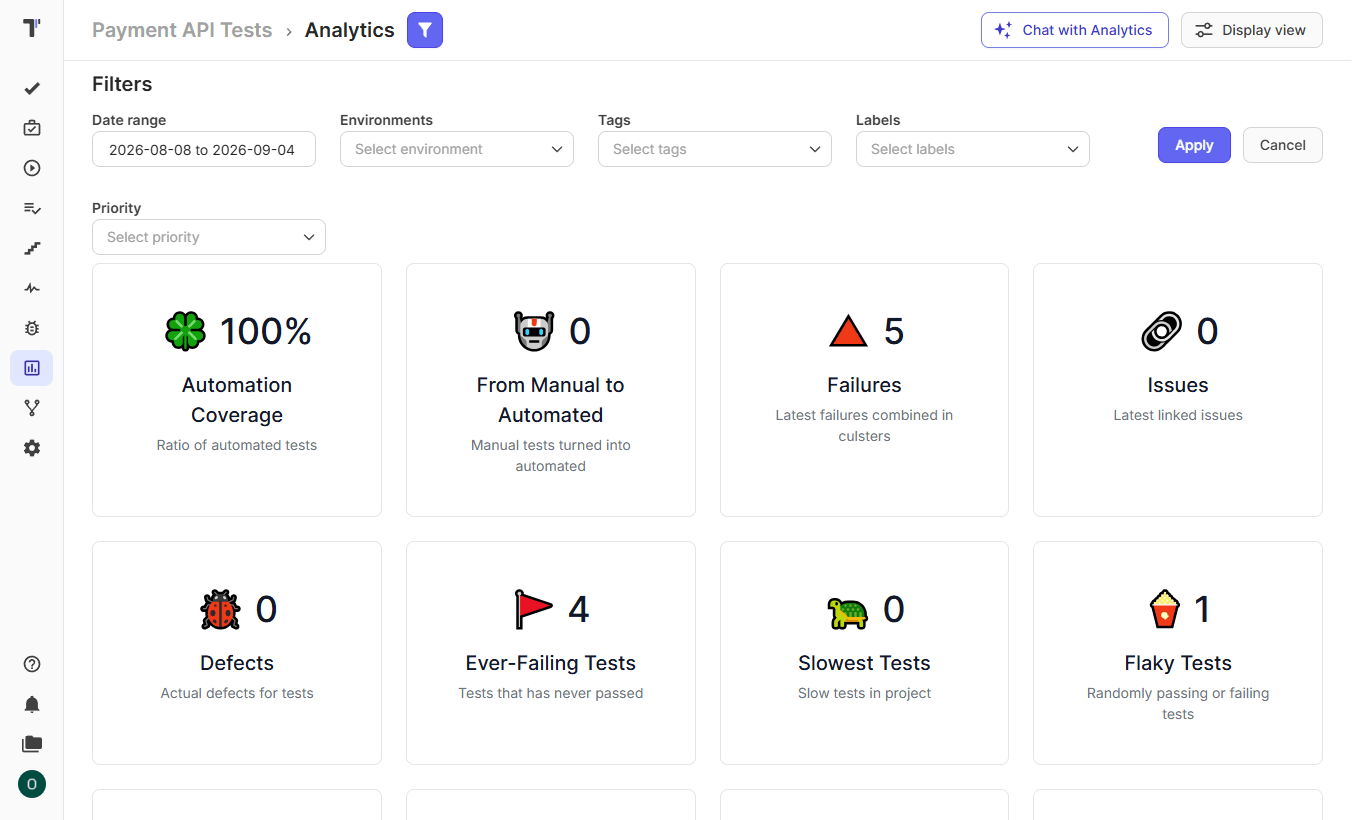
Other tools report through JUnit XML files, and a mixed run collects manual checks and automated results in a single report during the transition. You can run the old and the new tool in parallel for a sprint. After the team confirms the new workflow covers every case, you can cancel the subscription with confidence.
Bottom Line: Which Postman Alternative Fits Your Team?
You can pick Bruno for a Git-native open-source client or Hoppscotch for a self-hosted web tool. Insomnia offers the most familiar desktop experience, and Thunder Client keeps you in VS Code. Apidog covers the full API lifecycle, and Playwright turns your API checks into code next to your E2E suite. Explorbot hands endpoint testing to AI agents, with humans reviewing the plans. Whichever client you choose, you need the results visible in one place. 👉 Connect your API test framework to Testomat.io reporters and give your team the full picture. Try it for free.